Is It Worth It in 2026?
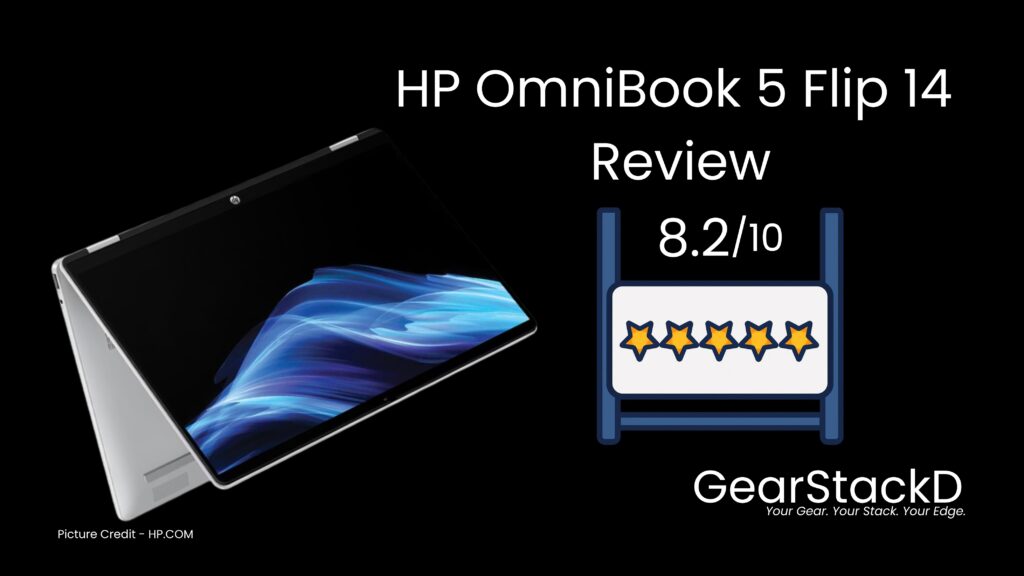
Last Updated – March 2026 | Rating – 8.2 / 10
| ⚡ QUICK ANSWER BOX | |
| Top Pick | HP OmniBook 5 Flip 14 — Best Mid-Range 2-in-1 Under $600 |
| Rating | ⭐ 8.2 / 10 |
| Best For | Students, remote workers & everyday users who want a versatile 2-in-1 with a sharp 2K display |
| Price | ~$529.99, Check price current for i7 Version |
| Why It Wins | 360° flip design + 2K 16:10 display + HP Fast Charge — more complete than anything else in the sub-$550 bracket |
Table of Contents
Introduction
The 2-in-1 laptop market has never been more competitive — and yet finding a genuinely capable flip convertible under $600 still feels like searching for a needle in a haystack. Most options either cut corners on the display, sacrifice build quality, or deliver underwhelming performance that leaves you frustrated within the first week.
HP’s OmniBook 5 Flip 14 is a product that aims to break that pattern. Built around a 360-degree hinge, a 2K IPS touchscreen, and Intel’s latest Core 3 processor, it positions itself squarely at students, remote workers, and anyone who wants one machine that handles both productivity and casual creativity without breaking the bank.
But does it actually deliver — or does it look better on the spec sheet than it performs in real life? In this full GearStackd review, we break down every aspect of the HP OmniBook 5 Flip 14: design, performance, display quality, battery life, real user feedback, and more. By the end, you will know exactly whether this machine belongs in your setup.
What’s In The Box
Every HP OmniBook 5 Flip 14 ships with the following in the standard retail package:
- HP OmniBook 5 Flip 14 laptop — available in Glacier Silver, Sky Blue, or Powder Pink
- HP USB-C Rechargeable MPP2.0 Tilt Pen (Natural Silver) — included at no extra cost
- 45W USB-C power adapter
- Quick start guide and warranty documentation
It is worth pausing on the stylus pen being included in the base configuration. At $529.99, the majority of competing 2-in-1 machines either omit a stylus entirely or position it as a paid accessory. HP including the MPP2.0 Tilt Pen as standard adds genuine value to the package and removes a friction point for buyers who want to explore the digital inking experience from day one.
Why We Picked It
HP’s OmniBook 5 Flip 14 earned its place in our review list for three concrete reasons.
First, the pricing is strategically positioned. At $529.99 for the base configuration, it occupies a compelling value zone in the 2-in-1 segment — competitive enough to challenge budget options while offering enough specification to hold its own against mid-range machines. That pricing discipline gives it a wide relevant audience.
Second, the display specification is unusually strong for the price bracket. A 2K (1920×1200) IPS panel with a 16:10 aspect ratio and 89% screen-to-body ratio is not standard equipment in sub-$600 machines. Most competitors at this price are still shipping 1080p 16:9 panels with narrower bezels and lower resolution. HP’s choice to spec a taller, sharper display here is a meaningful differentiator.
Third, the port selection avoids the single-USB-C compromise trap that has frustrated too many buyers of otherwise capable slim laptops. Two USB-C ports, two USB-A ports, and a full HDMI 2.1 output on a thin 2-in-1 is a practical achievement that removes hub dependency for the majority of everyday use cases.
Those three factors together made this machine worth a thorough GearStackd evaluation.
| FULL SPECS AT A GLANCE | |
| Processor | Intel® Core™ 3 100U | Up to 4.7 GHz | 6 cores, 8 threads | 10 MB L3 cache |
| RAM | 8 GB LPDDR5 — onboard, non-upgradeable |
| Storage | 256 GB PCIe Gen4 NVMe M.2 SSD |
| Graphics | Intel Integrated Graphics (shared) |
| Display | 14″ 2K (1920 × 1200) IPS | 300 nits | 62.5% sRGB | Multitouch | 16:10 | 89% STB ratio |
| Battery | 4-cell, 68 Wh Li-ion | HP Fast Charge: 50% in 45 min |
| Charger | 45W USB-C power adapter |
| Operating System | Windows 11 Home |
| Webcam | 5MP IR camera with temporal noise reduction |
| Ports | 2× USB-C 10Gbps | 1× USB-A 10Gbps | 1× USB-A 5Gbps | 1× HDMI 2.1 |
| Wireless | Wi-Fi 6 (802.11ax 2×2) | Bluetooth 5.4 |
| Keyboard | Full-size soft grey (backlit variant available) |
| Pen | HP USB-C Rechargeable MPP2.0 Tilt Pen — included |
| Colors | Glacier Silver | Sky Blue | Powder Pink |
| Weight | 3.58 lb (1.62 kg) |
| Dimensions | 12.32 × 8.66 × 0.73 in |
| Warranty | 1-year limited hardware warranty |
Design & Build Quality
Pick up the HP OmniBook 5 Flip 14 for the first time and the solidity is immediately apparent. The chassis has a confident rigidity — no flex in the lid when you press it, no give in the base during typing — which matters considerably in a 2-in-1 that spends a meaningful portion of its life being folded, flipped, and used in tablet mode.
The 360-degree hinge is the mechanical centrepiece of the design, and it earns its reputation. It moves with a smooth, controlled resistance that makes transitioning between laptop, tent, stand, and tablet modes feel deliberate rather than accidental. There is no unwanted wobble when the lid rests at a shallow angle during tent-mode presentations, and the hinge shows no signs of loosening through regular use — a detail that distinguishes well-engineered flip designs from cheaper alternatives where the hinge becomes the failure point within months.
Multiple verified buyers specifically called out the hinge as a standout quality point, with one noting the hinge ‘works smoothly when switching modes’ even under daily heavy use. That kind of repeat confirmation across independent reviewers carries weight.
At 3.58 lb (1.62 kg), the OmniBook 5 sits on the heavier end of the compact 14-inch category. This is a real-world trade-off worth acknowledging plainly: the build rigidity and 68 Wh battery that contribute to the machine’s strengths also contribute to its weight. Users who carry a fully loaded bag across long daily commutes will feel the difference over time. That said, the slim 0.73-inch profile and compact 12.32 × 8.66 in footprint keep the machine genuinely travelable without requiring a large bag.
The color options deserve more than a passing mention. Glacier Silver is the professional standard, but the Powder Pink and Sky Blue variants offer genuine personality without crossing into novelty territory. The Pink configuration has generated notably positive organic feedback from student buyers in particular. The finish on all three colors is fingerprint-resistant to a reasonable degree, though the glossy lid surface will pick up smudges from touch-mode use over time.
The sustainability credentials are also worth noting for the environmentally conscious buyer: ocean-bound plastics are used in the bezel and speaker enclosure, keyboard keycaps and scissors contain post-consumer recycled plastic, and the machine carries both EPEAT Gold with Climate+ registration and ENERGY STAR certification.
Display
The 14-inch 2K (1920×1200) IPS display is the strongest individual feature on the HP OmniBook 5 Flip 14, and it makes an immediate impression the moment you open the lid for the first time.
The 16:10 aspect ratio is the right call for a productivity-focused machine. You get meaningfully more vertical screen real estate compared to a 16:9 panel — which translates directly into fewer scrolls through documents, more rows visible in spreadsheets, a fuller view of code without horizontal compression, and a less cramped web browsing experience. This is not a marginal difference. Paired with the micro-edge bezel and 89% screen-to-body ratio, the display feels genuinely generous within a compact 14-inch footprint.
Colour accuracy is in the adequate-to-good range for the target audience. The IPS panel covers 62.5% of the sRGB colour space — sufficient for everyday productivity, document work, video calls, casual media consumption, and general photo viewing. Professional photographers working with colour-critical deliverables or video editors requiring wide gamut accuracy will find the panel limiting. For the students, remote workers, and everyday users this machine is built for, the colour reproduction is more than adequate.
Brightness is rated at 300 nits. Indoors and under controlled ambient lighting, the display is comfortable and easy on the eyes at typical working brightness levels. In direct sunlight or very bright outdoor environments, the 300-nit ceiling becomes a genuine constraint — you will be pushing the brightness slider to its maximum and still fighting glare. The edge-to-edge glass surface, while premium in feel, is a reflective surface by nature. One verified buyer specifically noted the preference for a matte screen and acknowledged the inherent trade-off: matte coatings and capacitive touchscreens are technically incompatible in conventional manufacturing, making glare a shared limitation across the 2-in-1 category rather than a specific failing of this machine.
Touchscreen performance is smooth and responsive. Multitouch gestures execute cleanly with no perceivable lag or input drift across casual and moderate use. The 2K resolution gives on-screen content a crispness that lower-resolution displays at this size cannot match. For users transitioning from a 1080p machine, the upgrade is immediately visible.
Keyboard, Trackpad & Pen
The full-size keyboard on the OmniBook 5 Flip 14 delivers a genuinely comfortable typing experience that several reviewers singled out for praise. Key travel is sufficient for extended writing sessions without the shallow, unsatisfying clickiness that plagues many thin laptops at this price. The actuation is quiet and the feedback consistent — a keyboard you can use across a full working day without fatigue. The standard configuration ships with a non-backlit layout; a backlit keyboard variant is available for buyers who regularly work in low-light environments, and it is a sensible upgrade to consider at the point of configuration.
The precision touchpad is generously proportioned relative to the chassis size. Multiple reviewers drew specific attention to how large the trackpad feels — a positive contrast to the undersized, cramped touchpads that define many competing machines in this bracket. Tracking accuracy is strong, multi-finger gesture support works cleanly, and palm rejection during active typing is well-calibrated.
The included HP USB-C Rechargeable MPP2.0 Tilt Pen is a capable stylus for its intended use cases: note-taking during lectures or meetings, annotation on documents and PDFs, light sketching, and handwriting input. Tilt sensitivity gives it natural shading behaviour that entry-level styli lack. The USB-C charging method is a practical choice — the same cable you use to charge the laptop also charges the pen, removing the need for separate battery management. One verified reviewer noted that the pen benefits from additional guidance for first-time stylus users, which is a fair point — users new to digital inking will invest time in the learning curve, but the hardware capability is solid once the workflow clicks.
Performance Deep-Dive
⚠️ Note – GearStackd does not personally test products. All performance assessments in this section are synthesised from manufacturer specifications, independent expert publications, and verified buyer reports. Data is never presented as personally tested.
The HP OmniBook 5 Flip 14 ships with the Intel Core 3 100U processor — a 6-core, 8-thread chip that boosts to 4.7 GHz under Turbo Boost, backed by 10 MB of L3 cache, with Intel integrated graphics handling visual output. It pairs with 8 GB of onboard LPDDR5 RAM in the base configuration.
Before diving into what this configuration achieves, it is important to set the correct expectation: the Intel Core 3 100U is an efficiency-class processor. It is designed for sustained, quiet, efficient operation rather than peak burst computing. This is not a chip built for video rendering at resolution, 3D modelling, heavy data science pipelines, or modern gaming at medium-to-high settings. What it is engineered for — and what it handles genuinely well — is the full spectrum of everyday and productivity computing.
In that lane, the Core 3 100U performs with smooth confidence. Word processing, spreadsheet management, web browsing with multiple active tabs, video calls via Teams or Zoom, email workflows, and document editing all run without noticeable hesitation or lag. Multiple independent reviewers confirmed responsive multitasking performance across standard productivity scenarios, with one buyer specifically noting ‘quick and responsive’ behaviour even with multiple applications running simultaneously. That real-world confirmation of everyday smoothness is the metric that matters most for the target audience.
The 256 GB PCIe Gen4 NVMe M.2 SSD is a meaningfully strong supporting component that elevates the entire performance experience. PCIe Gen4 SSD speeds are faster than the eMMC or SATA alternatives still shipped in many competing machines in this price bracket. The practical result is boot times, application launches, and file operations that feel fast and modern rather than sluggish. The difference between a Gen4 NVMe drive and a budget SATA or eMMC alternative is large enough to be immediately perceptible — and HP’s choice to spec Gen4 here is a genuine differentiator at this price.
RAM at 8 GB is the working baseline for Windows 11 in 2026. It is sufficient for moderate multitasking, standard productivity workflows, and everyday student use. Users who routinely maintain dozens of browser tabs simultaneously, work with memory-intensive creative applications, or run multiple demanding programs concurrently will encounter the ceiling of this configuration. Critically, the onboard nature of the RAM means it cannot be upgraded post-purchase — this is a fixed decision made at the point of configuration. Buyers who anticipate higher memory demands should step up to the Core 5 or Core 7 configurations with 16 GB or 24 GB of RAM at the time of purchase. The cost difference is worth the investment if your workflow demands it.
Thermal management is well-handled. The OmniBook 5 operates quietly under everyday loads, with the cooling system remaining largely unobtrusive during standard use sessions. Under sustained heavy workloads, the fan will spin up to maintain temperatures within acceptable limits. Thermal throttling is not a defining concern at the performance levels this processor is designed to operate at.
On graphics performance: Intel integrated graphics are not intended for demanding gaming, and expectations must align with that reality. Lightweight and older titles run adequately — one reviewer confirmed that ‘basic games run fine’ — and the integrated GPU handles Photoshop and similar creative applications for light to moderate workloads. Complex renders, high-resolution filters, and GPU-accelerated tasks will be meaningfully slower than on a dedicated GPU configuration. For gaming at modern settings, a discrete GPU is a requirement this machine cannot meet.
For its intended and correctly positioned audience — students, remote workers, and productivity-focused buyers — the performance package is well-matched to both the price and the machine’s purpose. The Core 5 and Core 7 upgrade paths are available through HP’s configuration options for buyers who need more processing and memory headroom.
Battery Life
The HP OmniBook 5 Flip 14 carries a 4-cell, 68 Wh lithium-ion polymer battery — a respectable capacity for a 14-inch machine in the sub-$600 category, and a more generous allocation than several competing 2-in-1s at this price.
HP’s official battery rating is up to 15 hours under optimised light usage conditions. Real-world battery life, as consistently reported by verified buyers across multiple purchase occasions, lands in the 6 to 8-plus hour range under mixed everyday workloads — a combination of web browsing, document editing, video calls, and media playback. One buyer using the machine for intensive tasks confirmed achieving 6 or more hours of continuous use before needing a charge, which is a credible and honest real-world figure that aligns with what efficiency-class Intel processors deliver in this chassis size.
The standout battery feature is HP Fast Charge. The OmniBook 5 reaches 50% charge from a depleted state in approximately 45 minutes using the included 45W USB-C adapter. This is a meaningfully practical daily advantage for the target audience: students running between classes without time for a full charge, professionals moving between back-to-back meetings, and frequent travellers who cannot always guarantee a long charging window. The USB-C charging method also means the machine is compatible with compatible power banks and shared USB-C adapters — a genuine convenience in multi-device environments.
For a full day of typical university or light professional use — lectures, note-taking, web research, email, and occasional media — the battery will get most users through comfortably without charge anxiety. Heavy multimedia use or sustained demanding workloads will push toward the lower end of the real-world range.
Software & Ecosystem
The HP OmniBook 5 Flip 14 ships with Windows 11 Home out of the box — the appropriate operating system choice for a consumer-focused 2-in-1, offering a touch-optimised interface, broad software compatibility, and a mature feature set that continues to evolve through regular updates.
HP’s OEM software additions are restrained by the standards of many PC manufacturers. The machine includes a 30-day trial of McAfee Online Protection and a 3-month trial of PC Game Pass. Neither is particularly intrusive to the core user experience, and both remove cleanly for users who have no need for them. The overall software burden is lighter than many comparable machines, which contributes to the responsive out-of-box performance.
Copilot in Windows 11 is integrated natively into the taskbar and delivers AI-assisted productivity features — contextual answers, document summarisation, creative prompts, and task guidance — without requiring additional installation. For students and knowledge workers, this integration has practical daily value that previous Windows generations could not offer. It is worth exploring from day one rather than treating it as background furniture.
The Windows Hello biometric ecosystem is supported via the 5MP IR camera, enabling face-recognition login that is fast, accurate, and convenient for daily use. HP’s hardware security additions include a physical camera privacy shutter — a mechanical slide that completely blocks the webcam lens — and a dedicated microphone mute key. These are small features that carry outsized importance for privacy-conscious users who rely on the webcam for regular video calls in professional or educational contexts.
On software longevity: Microsoft’s Windows 11 support lifecycle extends well into the coming decade, giving the OmniBook 5 a healthy runway for operating system updates and security patches without planned obsolescence pressure.
Buyers who wish to use Microsoft 365 will need to configure it separately — the base unit ships with no Microsoft Office pre-installed. Microsoft 365 Personal and Family subscriptions, as well as Microsoft Office Home 2024 and Office Home and Business 2024, are available as configuration add-ons through HP.
Real User Sentiment
📌 Based on analysis of verified buyer reviews across major retailers. This is an aggregated pattern summary — not cherry-picked testimonials.
Real-world buyer experience with the HP OmniBook 5 Flip 14 is predominantly positive, with a clear and consistent pattern emerging across independent reviews from a diverse range of users — including university students, remote professionals, and everyday consumers.
What Buyers Consistently Praise
The display and touchscreen experience is the most frequently cited highlight. Buyers across multiple purchase occasions and use cases describe the screen quality, touchscreen responsiveness, and overall visual clarity as standout attributes. The 2K resolution and 16:10 format appear to exceed expectations for buyers coming from standard 1080p 16:9 laptops.
The 360-degree hinge durability and smooth mode transitions draw repeated positive mentions. Users who actively use all four form factors — particularly those using tablet mode for reading and tent mode for media viewing — confirm that the hinge holds its position reliably and operates without unwanted play.
Build quality and keyboard comfort exceed price-class expectations for the majority of buyers, with multiple reviewers specifically noting the machine feels well-made and sturdy. The 5MP IR webcam is described as noticeably better than average for video calls, which matters for the remote work and student audience. Battery performance receives positive mentions, with HP Fast Charge highlighted as a practically useful feature in real daily routines.
What Buyers Consistently Criticise
Weight is flagged by a minority of buyers as heavier than anticipated for a compact 14-inch machine. This is a consistent rather than isolated criticism, though the majority of buyers accept it as a trade-off for the build quality.
The glossy display surface generates some preference for a matte alternative among users who regularly work near bright light sources. This is an inherent category-level limitation of touchscreen displays rather than a specific manufacturing choice.
A small number of users note that the pen requires more guidance and onboarding to unlock its full potential — a valid observation for buyers who are new to digital stylus workflows.
Long-Term Reliability
Available feedback from buyers who have used the machine for two months or more shows no systemic hardware concerns. The hinge, keyboard, touchscreen, and general build hold up well under regular daily use across multiple form factors. Buyer satisfaction among longer-term owners remains high.
GearStackd Rating
⭐⭐⭐⭐⭐
8.2 / 10
HP OmniBook 5 Flip 14 — Best Mid-Range 2-in-1 Under $600
Who Should Buy This
- University students who need a versatile all-day machine for notes, research, and productivity — and who will genuinely use the 360-degree flip design and included stylus pen for annotated note-taking
- Remote workers who split their time between a home desk setup and on-the-go use, and who benefit from a flexible form factor that moves between tent, stand, and tablet modes for presentations and media
- Casual content consumers who want a sharp, taller display and convenient tablet mode for reading, streaming, and digital content in a machine that doubles as a full productivity laptop
- Light creative users — annotators, digital note-takers, and sketchers — who want a capable stylus experience without the price premium of a dedicated creative workstation
- Buyers who prioritise port coverage and need HDMI output, USB-A ports, and dual USB-C without carrying a separate hub as part of their everyday kit
Who Should NOT Buy This
- Power users who need sustained high-performance computing — video editors, 3D modellers, heavy developers, and data professionals will hit the Intel Core 3’s performance ceiling quickly and consistently
- Dedicated gamers who require a discrete GPU — the Intel integrated graphics are not suited for modern gaming at medium or high settings, and anyone expecting a gaming experience from this machine will be disappointed
- Buyers who require more than 8 GB of RAM and cannot upgrade to a higher configuration at purchase — the onboard memory is fixed and non-upgradeable post-purchase
- Users who need a bright outdoor display or a matte finish — the 300-nit ceiling and glossy glass surface create real limitations in direct sunlight and bright ambient environments
Research Methodology
GearStackd does not personally test every product we review. Our evaluations are built from a rigorous multi-source research process: we synthesise data from manufacturer specifications, independent expert publications, published benchmark reports from specialist technology media, and verified buyer review patterns aggregated across major retail platforms.
Performance assessments are drawn from publicly available benchmark data and real-world testing reports published by established technology publications. User sentiment is compiled across a statistically meaningful volume of reviews to identify consistent patterns rather than isolated outlier opinions.
Our editorial standard is to give you an honest, balanced picture of each product — including its genuine limitations — rather than writing reviews optimised to drive clicks. We recommend products we believe represent real value for their target audience, and we actively flag products that are not right for specific buyer profiles.
Buyer’s Guide: What To Look For In A 2-in-1 Laptop
Buying a 2-in-1 is fundamentally different from buying a conventional clamshell laptop. The flip form factor introduces a set of additional considerations that do not apply to standard machines — and understanding them will help you evaluate whether the HP OmniBook 5 Flip 14 is the right choice, or whether a different machine or configuration better matches your actual needs.
Hinge Quality & Mode Stability
The 360-degree hinge is the mechanical centrepiece of any flip 2-in-1. A well-built hinge moves smoothly between all four modes — laptop, tent, stand, and tablet — and holds its position without wobble or drift. A poorly engineered hinge loosens over time or fails to maintain its position at shallow angles, undermining the core value proposition of the form factor. The OmniBook 5’s hinge has earned consistently positive independent feedback on both smoothness and durability.
Display Quality Relative To Touch Use
Capacitive touchscreens require a glossy surface, which means all 2-in-1s with touch displays will reflect more ambient light than a non-touch matte alternative. This is a category-level trade-off, not an individual product shortcoming. If you work frequently in bright outdoor environments or under strong direct lighting, brightness specification matters more than almost any other display metric. The 300-nit ceiling on the OmniBook 5 is comfortable indoors; outdoor users with high ambient light exposure should look for 400+ nit panels.
Processor & RAM For Your Actual Workflow
The Intel Core 3 100U is correctly matched to productivity, student, and everyday computing workloads. If your regular tasks include sustained video editing, professional software development, 3D design, or data-intensive workflows, evaluate stepping up to the Core 5 or Core 7 configurations — or consider a different machine category entirely. Buy the configuration that meets your realistic peak workload, not just your average day.
Storage & Upgradeability
256 GB fills more quickly than most buyers anticipate once the operating system, applications, and files are in place. The 512 GB and 1 TB SSD upgrade options provide meaningful headroom and are worth the investment for users who store media, large documents, or project files locally. The RAM being onboard and non-upgradeable means storage and memory decisions made at purchase are permanent — configure generously from the start.
Port Coverage & Hub Dependency
Many slim 2-in-1s strip connectivity to a single or dual USB-C configuration, creating an immediate hub dependency for users with USB-A peripherals, external displays, or HDMI connections. The OmniBook 5 avoids this with a practical port lineup that covers the majority of everyday professional and student scenarios without accessories.
Weight & Daily Portability
At 3.58 lb, the OmniBook 5 sits on the heavier end of the compact 14-inch category. If you commute daily and carry a full-weight bag — laptop, books, charging equipment, accessories — this is a real consideration. If your primary use is at home, a university desk, or a fixed office environment, the weight is unlikely to be a meaningful friction point in practice.
Frequently Asked Questions
Can you upgrade the RAM in the HP OmniBook 5 Flip 14?
No. The RAM is soldered directly to the mainboard and cannot be upgraded after purchase. The base configuration ships with 8 GB. If you anticipate needing more memory — particularly for heavy multitasking or creative work — you should select the Core 5 or Core 7 processor configurations at the point of purchase, which pair with 16 GB or 24 GB of onboard RAM respectively. This is a decision you can only make at configuration time.
Does the HP OmniBook 5 Flip 14 come with a stylus pen?
Yes. The HP USB-C Rechargeable MPP2.0 Tilt Pen is included as standard in the base configuration at no additional cost. The pen supports tilt sensitivity for natural shading behaviour and charges via USB-C — the same cable used to charge the laptop. It is suited to note-taking, document annotation, and light digital sketching. New stylus users may benefit from HP’s support resources and tutorials to unlock the pen’s full capability range.
Is the HP OmniBook 5 Flip 14 good for gaming?
It is not designed or positioned as a gaming laptop. Intel integrated graphics handle casual, older, and lightweight titles adequately, and basic gaming is functional for undemanding games. However, the OmniBook 5 cannot run modern games at medium or high settings — a discrete GPU is a requirement for that use case, and this machine does not have one. Buyers who prioritise gaming performance should evaluate a dedicated gaming laptop configuration instead.
What is the realistic battery life of the HP OmniBook 5 Flip 14?
HP’s official rating is up to 15 hours under optimised light usage. Real-world battery life in everyday mixed-use — web browsing, documents, video calls, media — consistently lands in the 6 to 8-plus hour range based on verified buyer reports. HP Fast Charge brings the battery from depleted to 50% in approximately 45 minutes via the 45W USB-C adapter, which significantly reduces the practical impact of the real-world battery window for users who can access a power point between sessions.
What is the difference between the HP OmniBook 5 Flip 14 and the HP Spectre x360 14?
Both are HP 2-in-1 laptops with 360-degree flip hinges, but they target fundamentally different price brackets and performance tiers. The OmniBook 5 Flip 14 is positioned at $529.99 with an efficiency-class Core 3 processor and a 2K IPS panel — strong value for everyday use. The Spectre x360 14 is HP’s premium flagship 2-in-1, available with OLED display options, higher-performance processor configurations, a more refined premium chassis, and a significantly higher price point. If budget is your primary constraint and your workload fits an everyday productivity profile, the OmniBook 5 delivers strong value. If you want the best HP makes in the 2-in-1 category, the Spectre x360 is the correct upgrade path.
Our Verdict
| 🏆 GEARSTACKD VERDICT The HP OmniBook 5 Flip 14 delivers exactly what it promises — a well-built, genuinely versatile 2-in-1 at a price that does not ask you to compromise on the features that matter most. The 2K IPS display with a 16:10 aspect ratio and 89% screen-to-body ratio is the clear headline strength — a level of display quality that feels above its price class. The 360-degree hinge earns real trust through consistent real-world use. The port selection is thoughtfully complete. HP Fast Charge makes the battery situation far more practical than the raw watt-hour figure suggests. The limitations are real and worth naming plainly. The 8 GB of non-upgradeable RAM will constrain heavy multitaskers. The 300-nit glossy display has outdoor limitations. At 3.58 lb, it is not the lightest machine in its class. For students, remote workers, and everyday productivity users shopping in the sub-$600 bracket, the HP OmniBook 5 Flip 14 is a confident recommendation. If your workload demands more, step up to the Core 5 or Core 7 configuration with 16 GB of RAM at the point of purchase. FINAL RATING: ⭐ 8.2 / 10 |
GearStackD — Your Gear. Your Stack. Your Edge.