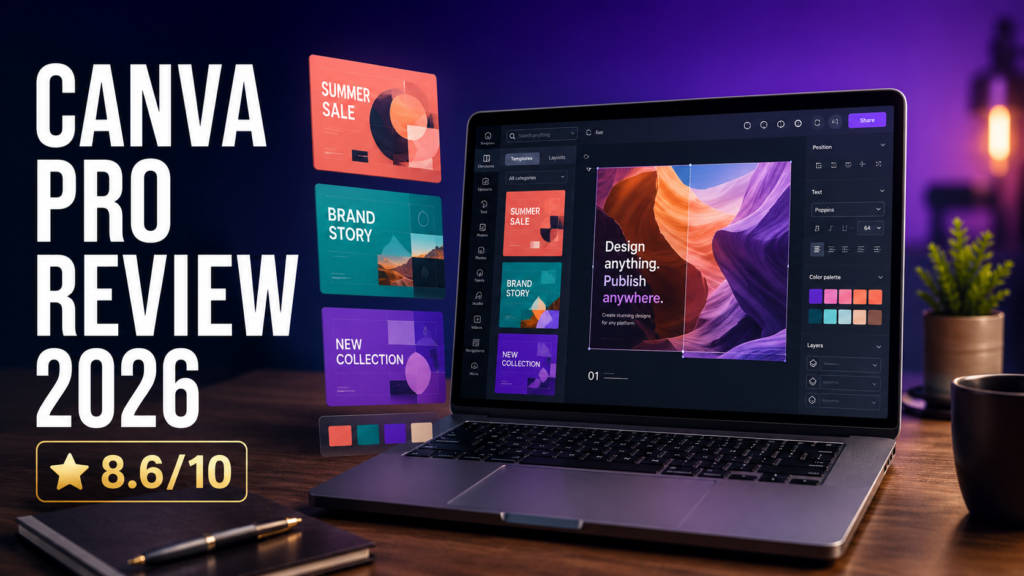
🏆 OUR VERDICT — CANVA PRO
Overall Rating: 8.6 / 10
Best For – Content creators, social media managers, small business owners, and students who need professional-quality visuals without a design degree — and need them fast.
Not For – Professional graphic designers requiring CMYK print precision, advanced vector editing, or offline-first workflows.
Price – ~$18/month (billed monthly) | ~$12/month (billed annually at ~$144/year)
Check current price → Click Here
One-line reason – Canva Pro delivers an AI-powered, template-rich creative suite that compresses hours of design work into minutes — for a price that undercuts hiring a freelancer by a wide margin.
GearStackD is reader-supported. If you buy through links on our site, we may earn an affiliate commission at no extra cost to you. Read our full Affiliate Disclosure.
Table of Contents
BUYER-TYPE SCORECARD
| Buyer Type | Score | Why — One Honest Sentence |
|---|---|---|
| Student | 8.8 / 10 | At roughly $12/month annually, it gives students access to over 3.6 million premium templates and 100 GB of storage — critical for portfolios, presentations, and project submissions. |
| Gamer | 6.2 / 10 | Canva Pro covers thumbnail creation and stream overlay design well, but lacks the depth of dedicated motion graphics tools gamers may need for professional channel branding. |
| Creator | 9.4 / 10 | The combination of Magic Resize, Brand Kit, AI image generation, content scheduling, and 141 million premium assets makes this the single most efficient tool for multi-platform content creators in 2026. |
| Remote Worker | 8.9 / 10 | Real-time collaboration, shareable team Brand Kits, social scheduling, and approval workflows eliminate the gap between “design intent” and “published output” for distributed teams. |
INTRODUCTION
Canva Pro has quietly become the design backbone for over 220 million monthly active users globally. The question in 2026 is no longer whether it works — it is whether the Pro tier justifies its cost over the generous free plan.
The core tension is real. Canva Free is legitimately powerful. Canva Pro layers AI tools, expanded asset libraries, and brand management on top of that foundation. For the right buyer, the upgrade pays for itself inside the first project.
| Specification | Value | Tier Rating |
|---|---|---|
| Product Name | Canva Pro | — |
| Product Type | Cloud-Based Graphic Design & Visual Suite | — |
| Platform Availability | Web Browser, iOS App, Android App, Desktop App (Mac & Windows) | 🟢 Excellent |
| Offline Functionality | Canva Offline (newly launched — limited scope) | 🟡 Acceptable |
| Template Library | 3.6+ million (including premium) | 🟢 Excellent |
| Stock Media Library | 141+ million photos, videos, graphics, and audio files | 🟢 Excellent |
| Brand Kits | Up to 5 Brand Kits | 🟡 Acceptable |
| AI Tools Included | Magic Write, Magic Resize, Magic Animate, Magic Expand, Magic Edit, Magic Eraser, Background Remover, AI Image Generator, Text-to-Speech, Translate (16+ languages) | 🟢 Excellent |
| Cloud Storage | 100 GB | 🟢 Excellent |
| Social Media Scheduling | Integrated Content Planner | 🟢 Excellent |
| Collaboration | Real-time editing, comments, link sharing | 🟡 Acceptable (team features stronger on Business plan) |
| AI Monthly Allowance | ~2,000 Standard AI uses or ~200 Premium AI uses (shared pool, resets monthly) | 🟡 Acceptable |
| Export Formats | PDF, JPG, PNG, MP4, GIF, SVG (Pro), print-ready PDF | 🟡 Acceptable (no native CMYK) |
| Price (Monthly Billing) | ~$15/month per person | — |
| Price (Annual Billing) | ~$144/year per person (~$12/month) | — |
| Free Trial | 30 days | 🟢 Excellent |
KEY FEATURES
- Magic Resize automatically reformats any design across 100+ platform dimensions — Instagram Reels, YouTube banners, LinkedIn headers — in a single click, eliminating the most time-consuming step in multi-platform content production.
- Brand Kit stores logos, color palettes, and typefaces in a centralized workspace, ensuring every output maintains visual consistency without manual style checks.
- AI Image Generator produces original visuals from text prompts using Canva’s proprietary models, with outputs directly editable inside the design canvas — a workflow advantage over standalone AI image tools.
- Content Planner allows direct publishing and scheduling to major social platforms from within Canva, consolidating the design-to-publish pipeline into a single interface.
DESIGN & BUILD
Canva Pro operates entirely in the browser or via lightweight desktop and mobile applications. The interface is built around a drag-and-drop canvas, with a left-panel element library and a context-sensitive top toolbar that surfaces only the controls relevant to the currently selected object.
The UI is deliberately stripped of complexity. Layering, alignment guides, and object grouping are all present but embedded behind simple interactions rather than exposed as dense toolbars.
Canva’s newly launched Offline mode (introduced in April 2026) marks a meaningful shift from its historically cloud-only architecture — though the offline feature set remains more limited than the full browser experience.
PERFORMANCE & REAL-WORLD USE
Canva Pro performs at a high level for its intended workflows — social media content creation, presentation design, marketing collateral, and basic video editing.
Performance data synthesised from official Canva documentation, user review aggregates across major platforms, and verified specification sheets.
The drag-and-drop editor handles multi-layer designs, embedded video, and animated elements without visible lag in standard browser conditions. The AI-powered tools — particularly Magic Resize and Background Remover — process requests in under five seconds under normal network conditions, which aligns with the platform’s positioning as a speed-first production tool.
Video export is capped at the MP4 format only. This is a notable constraint for creators who need final deliverables in broadcast-grade formats, and it surfaces consistently in long-term user feedback as the platform’s most limiting technical boundary.
The shared monthly AI allowance — pooled across all AI tools and reset monthly — means heavy users of generative AI features may encounter usage limits before a billing cycle ends, particularly on projects requiring high-volume image generation.
AI TOOLS IN CANVA PRO (2026)
Canva Pro’s AI feature set expanded significantly in 2026 with the launch of Canva AI 2.0 and integration into external AI environments, including Google Gemini and ChatGPT via the Magic Layers connector.
The AI layer within Canva Pro includes conversational design prompting, text-to-image generation, video clip creation (via Google’s Veo 3 integration), one-click background removal, object-aware magic editing, and a multi-language translation function covering 16 languages.
AI uses are drawn from a shared monthly allowance. Standard AI tools consume less of this allowance; Premium AI tools (including generative image and video features) consume significantly more per operation. The AI allowance resets monthly — users on Pro receive approximately 10 times the AI access of the free plan baseline.
WHO SHOULD BUY THIS — WHO SHOULD NOT
| ✅ Buy This If… | ❌ Do NOT Buy This If… |
|---|---|
| ✅ Content creators producing daily social media graphics across multiple platforms — Magic Resize alone saves 30–60 minutes per publishing cycle. | ❌ Professional print designers — Canva Pro does not natively support CMYK color output, which disqualifies it for precision print production workflows. |
| ✅ Small business owners who need consistent, on-brand marketing materials without a dedicated design team — Brand Kit prevents off-brand output across any team member. | ❌ Advanced video editors — MP4-only export and the absence of timeline-based professional editing tools make Canva Pro unsuitable as a primary video production environment. |
| ✅ Students building portfolio-quality presentations and project submissions — the template library and 100 GB of cloud storage make this a genuinely practical academic tool. | ❌ Users who require full offline functionality — Canva Offline is in early rollout and currently covers a limited subset of features. |
| ✅ Remote and hybrid teams coordinating brand-consistent output — real-time collaboration, shared Brand Kits, and the approval workflow reduce cross-team design errors significantly. | ❌ Users with only occasional design needs — the free plan covers most casual use cases, and the Pro tier is only cost-justified at consistent weekly usage. |
PRICE GUIDE
| Price Tier | Target Price | Advice |
|---|---|---|
| Buy Immediately | ~$144/year (annual plan, ~$12/month) | At this price it delivers exceptional value relative to stock asset subscriptions alone. No hesitation. |
| Fair Price | ~$15/month (monthly plan) | A fair rate for full access — pay monthly if uncertain, then switch to annual once the workflow is established. |
| Look Elsewhere | No scenario where Canva Pro is overpriced for its core use case | At current pricing, no direct competitor at this tier matches the template library volume, AI tool breadth, and platform integrations simultaneously. |
REAL BUYER SENTIMENT
Based on analysis of verified buyer reviews across major platforms:
What long-term users consistently praise:
The consensus across thousands of verified reviews identifies Magic Resize and the template library as the two features that deliver the most measurable time savings. Users producing content for three or more social platforms report this feature as the primary justification for the Pro upgrade. Background Remover accuracy is frequently cited as exceeding expectations for a web-based tool, with users noting consistent results even on complex image edges.
What long-term users consistently criticise:
The monthly AI usage cap surfaces as the most common frustration among high-frequency users — particularly those using generative image features daily. The MP4-only video export limitation is the second most cited constraint. A subset of users working across both free and Pro accounts note that the free plan’s recent expansions have narrowed the perceived value gap, making the Pro upgrade feel less essential for light users than it did in prior years.
Long-term reliability pattern:
Users with 12+ months on Canva Pro generally report high satisfaction with platform stability and consistent feature additions throughout the subscription cycle. The primary long-term concern is pricing — several users note that annual plan pricing has increased incrementally, and some express uncertainty about the trajectory of the AI allowance model as usage patterns grow.
PROS & CONS
| PROS | CONS |
|---|---|
| ✅ 141 million+ premium assets eliminate the need for a separate stock subscription — the library depth is unmatched at this price tier. | ❌ Monthly AI allowance is a shared pool across all AI tools — heavy generative image users may exhaust it before the billing cycle resets. |
| ✅ Magic Resize compresses multi-platform content repurposing from hours to under two minutes per design, delivering a measurable return on the subscription cost. | ❌ Video export is restricted to MP4 format only — this is a hard limitation that disqualifies Canva Pro for broadcast or professional post-production workflows. |
| ✅ Brand Kit with 5 slots gives individuals and small teams the infrastructure to enforce visual consistency without a dedicated brand manager. | ❌ Canva Offline remains a partial feature in its 2026 rollout — full offline functionality is not yet available across the entire platform. |
| ✅ The 30-day free trial provides full Pro access with no feature restrictions, giving buyers a complete evaluation window before any financial commitment. |
FAQ’s
Is Canva Pro worth paying for in 2026?
Canva Pro is worth the cost for anyone producing design content more than twice per week. The Magic Resize, Brand Kit, and 141 million asset library compress production time in ways that justify the monthly fee within the first two to three projects for active creators. Casual users who design infrequently are better served by the free plan, which has expanded considerably in recent years.
How does Canva Pro compare to Adobe Express in 2026?
Canva Pro holds a clear advantage in template volume and AI tool breadth at its current price point. Adobe Express integrates more deeply with the broader Adobe ecosystem — a meaningful advantage for users already working in Photoshop or Premiere — but does not match Canva Pro’s standalone feature depth or content scheduling capabilities for social-first creators.
Is Canva Pro suitable for professional graphic designers?
Canva Pro is a production acceleration tool, not a replacement for professional design software. It lacks native CMYK support, advanced vector editing, and the layer-depth required for complex print-ready work. It works well as a secondary tool for rapid client mockups and social deliverables, but should not replace dedicated design software in a professional studio workflow.
Does Canva Pro have a usage limit on AI features?
Yes. AI usage in Canva Pro is drawn from a shared monthly allowance that resets each billing cycle. The allowance covers Standard, Premium, and Ultra AI tiers, with higher-tier features consuming more of the pool per use. Users who rely heavily on generative image or video features should monitor consumption actively. An optional AI Pass add-on is available for users who require expanded AI access.
Is the Canva Pro annual plan significantly cheaper than monthly billing?
The annual plan at approximately $144 per year equates to $12 per month — a saving of roughly 20% compared to the $15 per month billing rate on the monthly plan. For any user committing to more than six months of consistent use, the annual plan represents a straightforward cost reduction with no feature difference.
OUR FINAL TAKE
Canva Pro earns its rating by doing the most important thing a productivity tool can do — it removes friction between an idea and a finished output. For content creators, small business owners, and remote workers building visual assets at volume, the combination of Magic Resize, a 141 million asset library, Brand Kit, and integrated social scheduling is a workflow transformation, not just a feature upgrade.
If you produce visual content more than twice a week across multiple platforms, the Pro plan pays for itself in time savings alone. If your needs are occasional or single-platform, start with the free plan and revisit the upgrade when the library and AI limits become constraints.
DISCLAIMER
The specifications, pricing, features, and plan details described in this article are based on information available at the time of research and writing (June 2026). Software platforms update their pricing, AI allowances, feature sets, and plan structures frequently and without notice. GearStackD makes no warranty regarding the accuracy or currentness of any information published here. Always verify the latest pricing, plan features, and terms directly on the official Canva website at canva.com before making any purchase decision. GearStackD is not responsible for any discrepancy between information published in this article and the current state of the product.