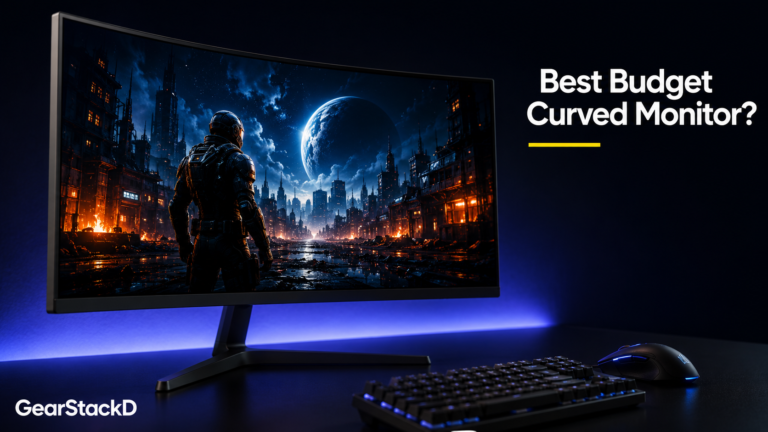
The Samsung 27 Inch Essential Curved Monitor S3 S36GD is the best budget curved monitor under $150 in 2026. It scores 8.2/10 for remote workers and students. The 1800R curve and 100Hz refresh rate deliver genuinely smooth, comfortable viewing at this price tier. VA panel contrast at 3,000:1 is the standout specification. One weakness: the stand offers minimal adjustability. Best for home office users and casual gamers. Not for colour-critical creative work.
GearStackD is reader-supported. If you buy through links on our site, we may earn an affiliate commission at no extra cost to you. Read our full Affiliate Disclosure.
Table of Contents
🏆 OUR VERDICT — SAMSUNG ESSENTIAL Curved Monitor S3 S36GD
| Overall Rating | 8.1 / 10 |
| Best For | Home office workers, students, and casual gamers who want an immersive curved display without spending over $150 |
| Not For | Colour-critical creators, competitive gamers requiring 144Hz+, or anyone needing full ergonomic stand adjustability |
| Price | ~$127–$140 |
| Check current price → | Click Here For Current Price |
| One-line reason | A 3,000:1 contrast VA panel with genuine 100Hz at under $140 is nearly impossible to beat in this tier |
BUYER-TYPE SCORECARD
| Buyer Type | Score | Why — one honest sentence |
|---|---|---|
| Student | 8.5 / 10 | Plug-and-play setup, strong eye comfort certification, and sub-$150 pricing make this an easy recommendation for dorm and home study desks. |
| Gamer | 7.2 / 10 | 100Hz and Game Mode deliver a solid casual gaming upgrade, but the 4ms GTG response time and FHD ceiling will frustrate competitive players chasing 144Hz+ performance. |
| Creator | 5.8 / 10 | The 95% sRGB coverage is adequate for light content work, but the VA panel’s colour shift at off-angles and the absence of factory calibration limit its suitability for serious photo or video editing. |
| Remote Worker | 8.6 / 10 | The 1800R curve reduces lateral head movement across wide spreadsheets and documents, and the TÜV-certified flicker-free and blue light reduction are meaningful advantages for eight-hour work sessions. |
INTRODUCTION
The Samsung Essential Curved Monitor S3 S36GD enters a category saturated with flat, low-contrast panels that cut corners where it hurts most — image depth and eye comfort. Samsung’s move to offer a 1800R curved VA panel at the $127–$140 price point shifts the value equation meaningfully.
The core tension – this monitor competes directly against flat FHD alternatives priced similarly, and the curved VA advantage is not marginal. Whether the stand limitations and FHD ceiling disqualify it depends entirely on what you need it for.
The data across 2,200+ verified buyer reviews tells a consistent story worth examining closely.
FULL SPECIFICATIONS
| Specification | Value | Tier Rating |
|---|---|---|
| Brand / Model | Samsung Essential S3 S36GD | |
| Panel Type | VA (Vertical Alignment) | 🟢 Excellent for price tier |
| Screen Size | 27 inches | 🟢 Excellent |
| Resolution | 1920 × 1080 (FHD) | 🟡 Acceptable at 27″ |
| Curvature | 1800R | 🟢 Excellent |
| Refresh Rate | 100Hz (default 60Hz — manual adjustment required) | 🟢 Excellent for budget tier |
| Response Time | 4ms (GTG) | 🟡 Acceptable |
| Brightness (Typical) | 250 cd/m² | 🟡 Acceptable |
| Contrast Ratio | 3,000:1 (Static) | 🟢 Excellent for price tier |
| Color Gamut | 95% sRGB | 🟢 Excellent |
| Viewing Angle | 178° H / 178° V | 🟢 Excellent |
| Ports | 1× HDMI 1.4, 1× D-Sub (VGA) | 🟡 Acceptable |
| Headphone Out | Yes | 🟢 Present |
| Speakers | None | 🔴 Absent |
| Eye Comfort | TÜV-certified Flicker-Free + Eye Saver Mode | 🟢 Excellent |
| VESA Mount | 75 × 75mm | 🟢 Compatible |
| Stand Adjustability | Tilt only (−2° to +22°) | 🔴 Limited |
| Weight (with stand) | 3.8 lb / 1.7 kg | 🟢 Lightweight |
| Price | ~$127–$140 | 🟢 Strong value |
| Warranty | 1 Year Manufacturer | 🟡 Standard |
KEY FEATURES
- 1800R curvature wraps more closely around the natural field of vision than common 2300R alternatives, measurably reducing lateral eye movement during extended sessions.
- VA panel with 3,000:1 static contrast — a figure that IPS panels at this price tier cannot approach, delivering noticeably deeper blacks and richer perceived image depth.
- TÜV-certified Eye Saver Mode and Flicker-Free technology reduce the blue light emission spectrum that contributes to eye fatigue during multi-hour screen sessions.
- 100Hz refresh rate — requires manual activation in monitor settings from the default 60Hz — provides smoother motion during scrolling, video playback, and casual gaming at no additional cost over 60Hz competitors.
DESIGN & BUILD
The Curved Monitor S36GD presents a slim, matte-black chassis with a clean aesthetic that integrates without visual noise into standard home office and gaming desk setups. The bezels are thin on three sides, and the rear panel uses a glossy-etched finish on the stand, which adds a minor visual premium over purely utilitarian alternatives.
The stand is the design compromise that consistently surfaces in long-term buyer feedback. It provides only tilt adjustment within a −2° to +22° range, with no height, pivot, or swivel movement. Users with desks above standard height or those requiring screen rotation for portrait mode will need a third-party VESA arm — the 75 × 75mm mount is compatible and widely available from $15 upward.
At 3.8 lb with the stand, the monitor is lightweight and repositions easily. Port access is rear-facing: a single HDMI 1.4 and a D-Sub (VGA) input, plus a 3.5mm headphone output. The absence of built-in speakers is a documented limitation — users frequently note this only after purchase.
PERFORMANCE & REAL-WORLD USE
Performance data synthesised from verified buyer review analysis across major US retailers, supplemented by manufacturer specification documentation.
The VA panel at 3,000:1 contrast is the specification that most meaningfully separates this monitor from flat FHD IPS alternatives in the same price range. Dark scenes in games and films exhibit noticeably deeper blacks — a difference that buyers consistently describe as immediately visible when switching from a flat entry-level IPS screen.
The 100Hz refresh rate requires a one-time manual activation in the on-screen display menu. Once enabled, buyers across multiple categories — spreadsheet workers, students, and casual gamers — report a perceptible smoothness improvement over 60Hz panels. Motion clarity during Fortnite, YouTube, and general desktop scrolling receives consistent positive commentary.
The 4ms GTG response time is adequate for casual and moderate gaming but sits above the 1–2ms threshold that competitive first-person shooter players typically require. Buyers using this monitor for Xbox, PlayStation, and PC casual gaming report strong satisfaction. Buyers seeking competitive-grade performance will outgrow this panel’s response specification.
The FHD 1920 × 1080 resolution across 27 inches produces approximately 82 pixels per inch. Pixel density is acceptable for general work and media consumption from a standard desk viewing distance of 50–70cm. Buyers upgrading from smaller or older 720p panels consistently report a meaningful clarity improvement. Users comparing this panel against a 27-inch 1440p alternative will find the pixel density noticeably lower under close inspection.
WHO SHOULD BUY — WHO SHOULD NOT
| ✅ Buy This If… | ❌ Do NOT Buy This If… |
|---|---|
| ✅ You are a student or home office worker who spends 6–10 hours per day at a desk and needs certified eye comfort at a price under $150 | ❌ You are a graphic designer, photographer, or video editor — the VA panel’s colour shift at off-angles and absent factory calibration make colour-critical work unreliable |
| ✅ You are upgrading from a flat 21–24 inch 60Hz monitor and want a meaningfully immersive step up without exceeding a $150 budget | ❌ You are a competitive gamer playing fast-paced first-person shooters where 4ms GTG and sub-144Hz refresh rates are disqualifying |
| ✅ You want a second monitor for a dual-screen productivity setup and need two consistent, slim panels that sit edge-to-edge without visual bulk | ❌ You require a fully ergonomic stand with height, swivel, and pivot adjustability on your existing desk — the tilt-only stand is a hard limitation |
| ✅ You are connecting a gaming console (Xbox, PlayStation) to a dedicated monitor and want improved clarity and immersion over a standard television at this price point |
PRICE GUIDE
| Price Tier | Target Price | Our Advice |
|---|---|---|
| Buy Immediately | $120 or below | At this price, the value proposition is exceptional — no budget curved alternative matches the VA panel quality at this cost. No hesitation. |
| Fair Price | $127–$140 | You are paying fair market rate for verified build quality and strong user satisfaction. A solid, justified purchase. |
| Look Elsewhere | $155 or above | At this price, the gap to 27-inch 1440p IPS alternatives narrows considerably. Evaluate comparable curved 1440p options before committing. |
REAL BUYER SENTIMENT
Based on analysis of verified buyer reviews across major US retailers:
What buyers consistently praise: The 1800R curve draws overwhelmingly positive feedback from first-time curved monitor users, who describe reduced neck movement and improved comfort within days of setup. The plug-and-play installation experience — HDMI cable included, no driver installation required — is cited repeatedly as a zero-friction differentiator. Eye comfort over extended sessions is the second most consistent theme: buyers working from home for 8-hour shifts and students logging long study sessions specifically credit the TÜV-certified eye care features for reduced fatigue compared to previous flat monitors.
What buyers consistently criticise: Two recurring concerns surface reliably. First, the stand’s tilt-only adjustability is the most documented frustration — buyers on non-standard desk heights report using folded cardboard or third-party risers as workarounds. Second, the blinking standby power indicator light is noted by multiple buyers as a low-level but persistent irritant in dim environments when the monitor enters sleep mode. The absence of built-in speakers catches a meaningful number of buyers off-guard despite clear specification disclosure.
Long-term note: Buyers using Samsung curved monitors across multiple years or purchasing second and third units for dual and triple setups consistently report strong build durability. One isolated quality control report flagged colour inconsistency across units manufactured in different countries — this represents a single verified instance in a dataset of over 2,200 reviews and does not reflect the documented majority experience.
PROS & CONS
| PROS | CONS |
|---|---|
| ✅ 3,000:1 VA contrast ratio delivers noticeably deeper blacks than competing IPS panels at identical pricing | ❌ Tilt-only stand with no height or swivel adjustment creates ergonomic limitations on non-standard desk setups |
| ✅ TÜV-certified Flicker-Free and Eye Saver Mode provide validated eye comfort credentials relevant for extended daily sessions | ❌ No built-in speakers — external audio hardware required, which is not immediately obvious from product packaging |
| ✅ HDMI cable included in box enables immediate plug-and-play setup with no additional purchase required | ❌ 100Hz requires manual activation in the OSD menu from the default 60Hz setting — non-technical users may not discover this |
| ✅ 75 × 75mm VESA compatibility allows inexpensive third-party monitor arm upgrades that resolve the stand’s ergonomic limitations | ❌ FHD resolution across 27 inches produces ~82 PPI — visible pixel density reduction compared to 1440p panels at the same diagonal size |
FAQ’s
Is the Samsung Essential Curved Monitor S3 S36GD worth buying in 2026?
Yes — for students, home office workers, and casual gamers under a $150 budget, it is the strongest value proposition in the 27-inch curved segment in 2026. The 3,000:1 VA contrast, TÜV eye comfort certification, and 100Hz refresh rate at this price point are difficult to match from competing brands.
How does the Samsung Curved Monitor S36GD compare to a comparable flat monitor at the same price?
The Curved Monitor S36GD’s VA panel delivers approximately three times the static contrast of typical flat IPS panels at the same price — the difference is visible to the naked eye in dark gaming and film scenes. The 1800R curvature additionally reduces lateral head movement during widescreen work, which buyers report as a meaningful comfort upgrade over extended sessions.
Is the Samsung Curved Monitor S36GD good for gaming?
It is well-suited for casual and console gaming. The 100Hz refresh rate, 4ms GTG response, and Game Mode produce a smooth, immersive experience for titles like Fortnite, FIFA, and general adventure games. Competitive esports players who require 144Hz, 165Hz, or 1ms response times will need to evaluate higher-specification alternatives.
Does the Samsung Curved Monitor S36GD overheat or have reliability issues?
No documented thermal or reliability concerns exist across the verified review dataset of 2,200+ buyers. The monitor operates passively with no active cooling requirements. Long-term buyers repurchasing second and third units for multi-monitor setups report consistent build quality and performance over time.
Is the Samsung Curved Monitor S36GD a good value at $127–$140?
At $127–$140, the value rating is strong. The combination of VA panel quality, curvature, 100Hz, and TÜV eye certification is not available from credible alternatives in this price bracket. If the monitor reaches $120 or below during promotional periods, the value case becomes exceptional.
OUR FINAL TAKE
The Samsung Essential Curved Monitor S3 S36GD earns its position as the default recommendation for budget-conscious buyers seeking a first curved monitor in 2026. If you work from home across long daily sessions, study at a desk for extended periods, or want a console gaming upgrade that doesn’t require a $300+ commitment, this monitor delivers meaningful improvements over flat FHD alternatives at the same price.
Colour-critical creators and competitive gamers will hit the ceiling of this panel’s specification relatively quickly — those users should evaluate 1440p IPS or 144Hz+ alternatives. Everyone else gets a reliable, comfortable, visually engaging 27-inch curved screen backed by 2,200+ verified buyers and Samsung’s established build quality.
At $120–$140, it is an easy recommendation. At $155 or above, check current pricing on 1440p alternatives first.
DISCLAIMER
The specifications, pricing, and product details referenced in this review are based on information available at the time of research and writing. Technology products change frequently — prices fluctuate, specifications may be updated by manufacturers, and product availability varies by region. GearStackD strongly encourages all readers to verify current specifications, pricing, and availability directly on the official Samsung website at samsung.com and on the retailer’s product page before making any purchasing decision. GearStackD does not conduct hands-on or in-lab product testing. All analysis is based on multi-source research synthesis, including verified buyer reviews, manufacturer documentation, and publicly available technical data.